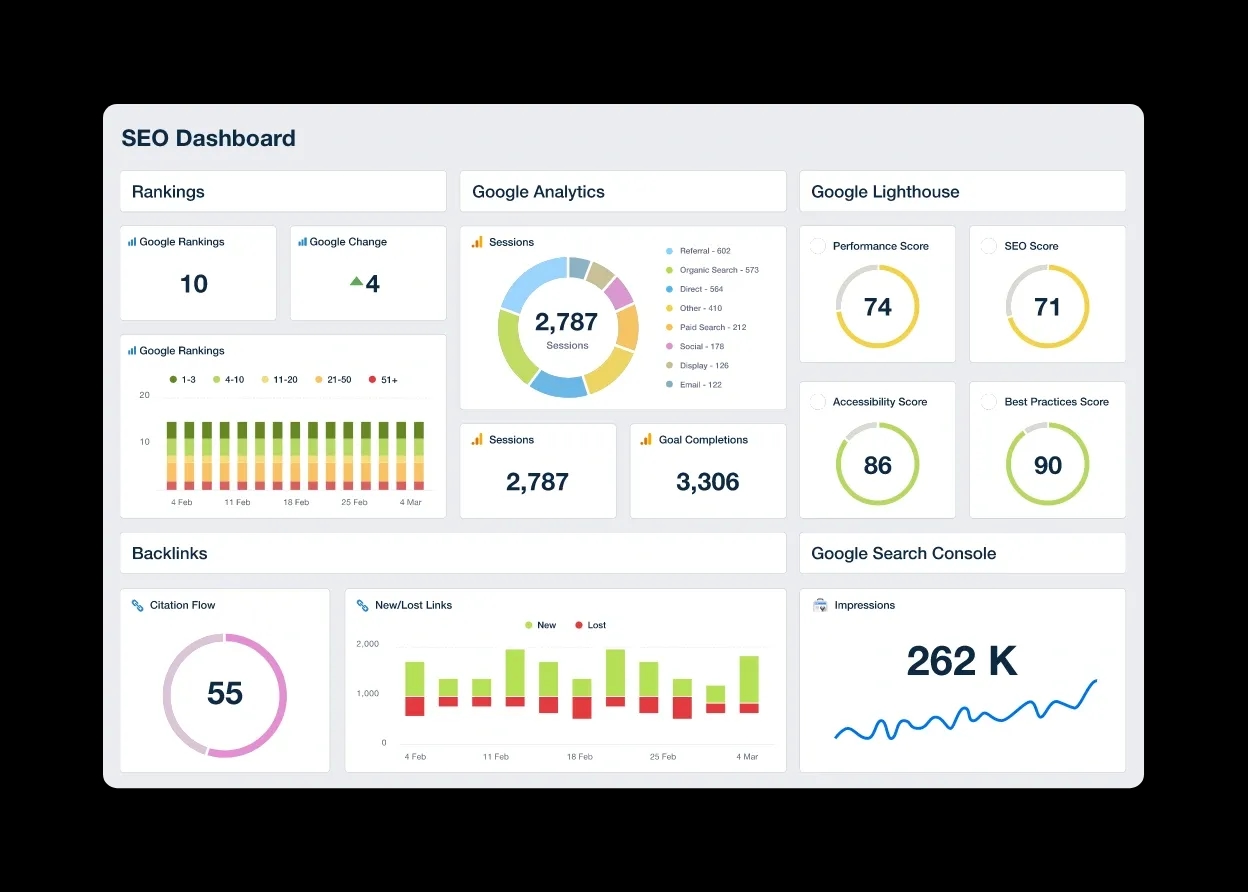
The best rank tracker tools in 2026 need to account for a brutal reality: being #1 organically often means sitting 1,200 pixels down the page. AI Overviews have pushed content below the fold, and more than 60% of searches end without a click.
So we tested agency rank tracking software that helps you monitor what matters. We focused on tools built for agencies, whether you need enterprise-grade speed or local SEO tracking that doesn't compromise on features.
Here are the six best options we'd use.
SE Ranking: Best All-in-One Agency Rank Tracker
What SE Ranking Does for Agencies
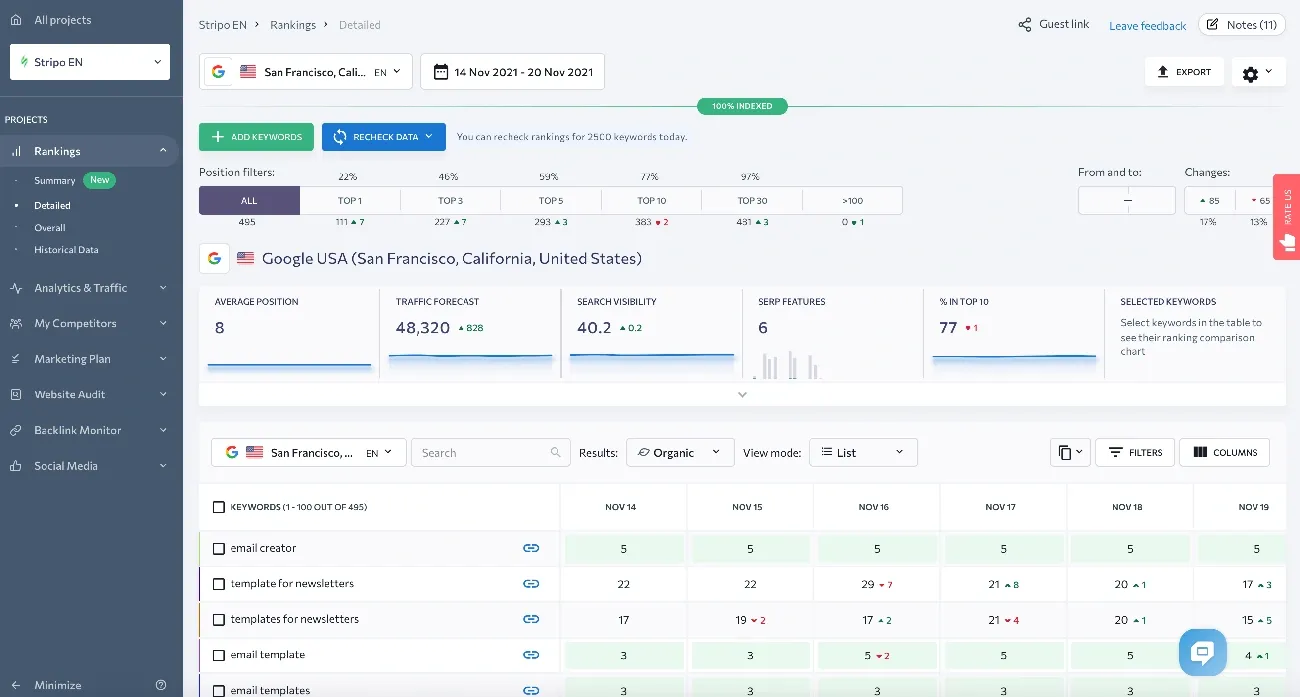
SE Ranking manages multiple client accounts from a single workspace. The Agency Pack lets you track keyword rankings, run site audits, and generate white-label reports without switching between projects or tools.
Daily rank tracking covers Google, Bing, Yahoo, and YouTube. You can monitor desktop and mobile separately, set up city-level tracking for local campaigns, and organize keywords using groups and tags. Groups work like folders, tags work like labels. One keyword belongs to one group but can have multiple tags.
The platform integrates with Google Analytics 4, Google Search Console, and Looker Studio. You pull traffic data, ranking changes, and technical audit results into a single dashboard, then push branded reports to clients automatically.
Why SE Ranking Stands Out for Agency Work
SE Ranking costs 50% less than Semrush Pro at the entry tier. That pricing gap matters when you manage 10+ clients and need predictable tool costs.
The Report Builder offers 12 SEO templates covering organic traffic, keyword rankings, SERP competitors, and website audit issues. You can build reports from scratch or use ready-made templates, schedule automated delivery, and merge SE Ranking data with GA4, GSC, and Matomo. Reports go out under your branding, from your domain, with your logo. SE Ranking's name doesn't appear anywhere.
White-label access extends beyond reports. You can rebrand the entire platform with your colors, logo, and domain name. Clients log in to yourdomain.com, not seranking.com, and see your agency identity throughout.
The Competitive Research tool analyzes competitor traffic sources, target keywords, backlink profiles, and Google Ads campaigns. You can estimate ranking difficulty and prepare to discuss SEO services during pitches. SE Ranking's research shows AI Overviews appear in 18.76% of search results. The platform's Share of Voice feature measures the percentage of organic traffic a website earns from tracked keywords compared to competitors.
How to Set Up Multi-Client Rank Tracking
Create a dedicated project for each client domain. Add 3 to 5 competitors per project to monitor their keyword strategy, landing pages, and backlinks. You can track specific paths like /shop or /blog as separate projects for e-commerce sites.
Import target keywords and organize them by topic or page cluster. Tag keywords by search intent: informational for blog content, transactional for product pages, navigational for brand terms. Configure tracking for specific geographic markets and enable both desktop and mobile tracking for each keyword group.
Set target URLs for each keyword. The Target URL is the page you intend to rank for a specific keyword. This helps detect if the wrong page is ranking and prevents keyword cannibalization.
Add manager seats or client seats depending on access needs. Managers can view and add information. Clients get viewing permissions only. You can limit which tools each user can access and set usage caps to prevent overuse of your account limits.
Turn on automated reporting and configure weekly or monthly delivery with white-label branding. The platform sends professional rank updates automatically, so clients receive reports without manual intervention.
Who Should Use SE Ranking
SE Ranking works for SMBs, freelancers, digital marketers, growing agencies, and competitor analysts. The Growth plan at $223.20/month suits growing SEO agencies and in-house marketing teams managing 3 to 10+ clients.
Growth delivers if you need 5,000 keyword tracking slots per day, 30 projects, and 3 manager seats for team collaboration. Higher-volume competitor rank tracking is included at this tier, which matters for client-facing work where you show competitive positioning across dozens of keywords.
Agencies running 20+ clients fit the Business tier. You get unlimited projects, white-label reporting, and API access at that level.
Pros and Cons
Pros:
- 50% cheaper than Semrush at entry tier
- 12 ready-made SEO report templates
- White-label platform and reporting with custom domain
- 30 client seats included in Agency Pack
- Daily rank tracking in major search engines
- 14-day free trial without credit card
- Integration with GA4, GSC, Looker Studio
- Agency Catalog placement for lead generation
Cons:
- Keyword tracking limits force plan upgrades faster than expected
- No global search volume aggregation for multiple countries
- Limited data for small market keyword research
- No privacy controls for project lists on Business plan manager seats
Pricing
Core plan starts at $103.20/month (annual billing) with 2,000 keywords tracked daily, 10 projects, and 1 manager seat. You get rank tracking in major search engines, unlimited keyword and competitor research, website audit, and integrations with Looker Studio, Matomo, GA, and GSC.
Growth plan runs $223.20/month (annual billing) with 5,000 keywords tracked daily, 30 projects, 3 manager seats, and 250 AI prompts daily. This tier has historical data across your project lifetime, guest links for collaboration, page changes monitoring, API access with 100,000 credits, and dedicated customer support.
Agency Pack adds $69/month (annual billing only) and has 30 client seats, white label for platform and reporting, unlimited scheduled reporting with AI summaries, Agency Catalog placement, and lead generator widget.
Annual plans include free migration assistance. Monthly billing costs 20% more across all tiers. A 14-day free trial is available on every plan without credit card requirements.
AccuRanker: Best for Enterprise-Speed Agency Rank Tracking
What AccuRanker Does for Agencies
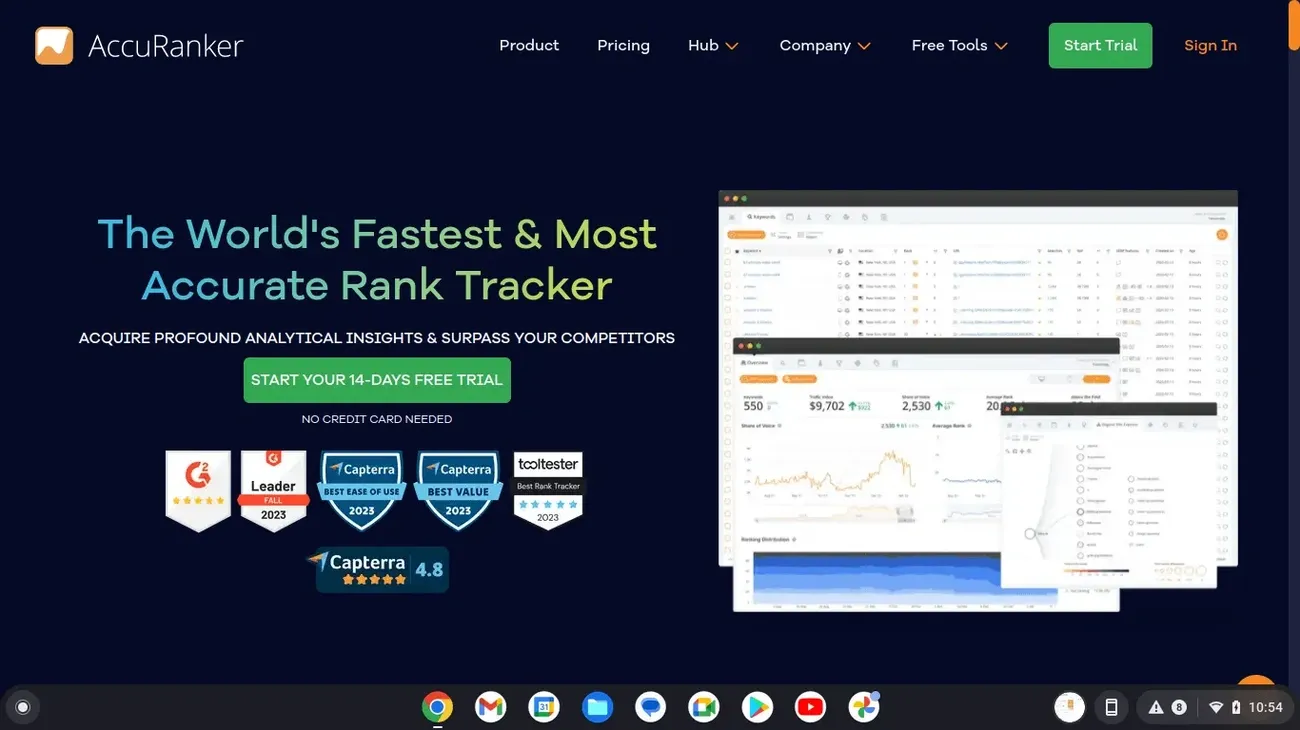
AccuRanker tracks keyword rankings across Google, Bing, YouTube, and Baidu with a focus on speed. You can monitor thousands to millions of keywords across multiple domains. The platform updates your data daily, but you can also refresh a single keyword whenever you just need it or update your entire domain every two hours.
The Share of Voice metric shows your website's visibility in any market compared to competitors. It calculates your organic market presence across custom keyword sets, by domain, URL, or tag. This matters when you just need to show clients exactly how much search real estate they own versus competitors in their space.
AccuRanker organizes keywords using smart, rule-based tags and folders based on predefined rules. You can segment by landing page to understand which pages perform best for your tracked keywords. The platform provides SERP feature tracking for over 50 different result types, and that has AI Overviews and featured snippets.
Why AccuRanker Delivers the Fastest Data
AccuRanker's infrastructure delivers 100% data accuracy down to the local level with access to over 24 billion keywords globally. Ranks update automatically every 24 hours, but you also get unlimited on-demand updates.
Most rank trackers batch-process updates overnight. AccuRanker lets you refresh your entire domain every two hours. When a client calls asking why their rankings dropped, you can pull fresh data in seconds instead of waiting until tomorrow's scheduled crawl.
The platform maintains fast load times whatever number of keywords you track. You manage 1,000 or 1 million keywords, and the interface responds at the same speed. According to AccuRanker, agencies be proactive with up-to-the-minute data that eliminates delays and guessing in ever-changing client environments.
How to Track Rankings Up to the Minute
Add your domains and import your keyword list. AccuRanker tracks keyword performance across devices and locations. You can monitor rankings at local or country level with accurate data to optimize your SEO strategy.
Configure tracking for multiple locations and devices to see how your website performs in different contexts. Set up dynamic tagging to automatically categorize keywords as your list grows. Use filtering options to segment by volume, ranking, keyword groups, and domains.
Connect AccuRanker with BigQuery, Looker Studio, Google Analytics, and Google Search Console through unlimited API access. The API is fully open with both read and write capabilities at no extra cost. You can pull rankings, keyword tags, Share of Voice, competitors, SERP features, and search volumes.
AccuRanker integrates with Looker Studio to visualize SEO performance and share insights with stakeholders for agency reporting. You can use pre-made templates or customize dashboards to fit your reporting needs.
Who Should Use AccuRanker
AccuRanker fits agencies tracking 10,000+ keywords across multiple clients who just need speed more than they just need all-in-one features. You refresh rankings multiple times per day to catch algorithm updates or client emergencies, and the two-hour refresh capability justifies the price premium over cheaper alternatives.
Enterprise SEO teams managing multiple brands, markets, and thousands of keywords benefit from AccuRanker's scalability. The platform is suitable for agencies of all sizes, from small startups to large enterprises, due to its flexible features. But smaller agencies with limited budgets may find the cost prohibitive.
Pros and Cons
Pros:
- Up-to-the-minute ranking updates with two-hour domain refresh option
- Track thousands to millions of keywords without performance degradation
- Unlimited API access with full read/write capabilities at no extra cost
- Share of Voice metric for competitive visibility analysis
- Unlimited users and domains on all plans
- Integration with Looker Studio, BigQuery, GA, and GSC
- 50+ SERP feature tracking
- 10% discount on annual plans
Cons:
- High cost for smaller agencies
- Mobile and desktop keywords count as two separate keywords
- Limited keyword research features compared to all-in-one tools
- Filtering unavailable by individual pages
- No mobile app
- 14-day trial restricted to company email addresses only
Pricing
Professional plan costs $224/month and has 2,000 to 5,000 keywords with daily updates, keyword research, search intent analysis, tagging, advanced filtering, Google Search Console and Google Analytics integration, and reporting options.
Expert plan runs $764/month and covers 10,000 to 25,000 keywords. This tier adds dynamic tagging, Tag Cloud, AI CTR, AI Search Volume, Google Looker Studio integration, and unlimited read API access.
Enterprise plans support more than 25,000 keywords with custom pricing. You get everything in Expert plus Google BigQuery integration, unlimited write API, access to raw SERP HTML, improved speed, unlimited users and domains, and a dedicated customer success manager.
Annual billing provides a 10% discount across all plans. You can change plans, upgrade, downgrade, or cancel at any time at no cost.
Nightwatch: Best Agency Rank Tracker for Local SEO
What Nightwatch Does for Local Campaigns
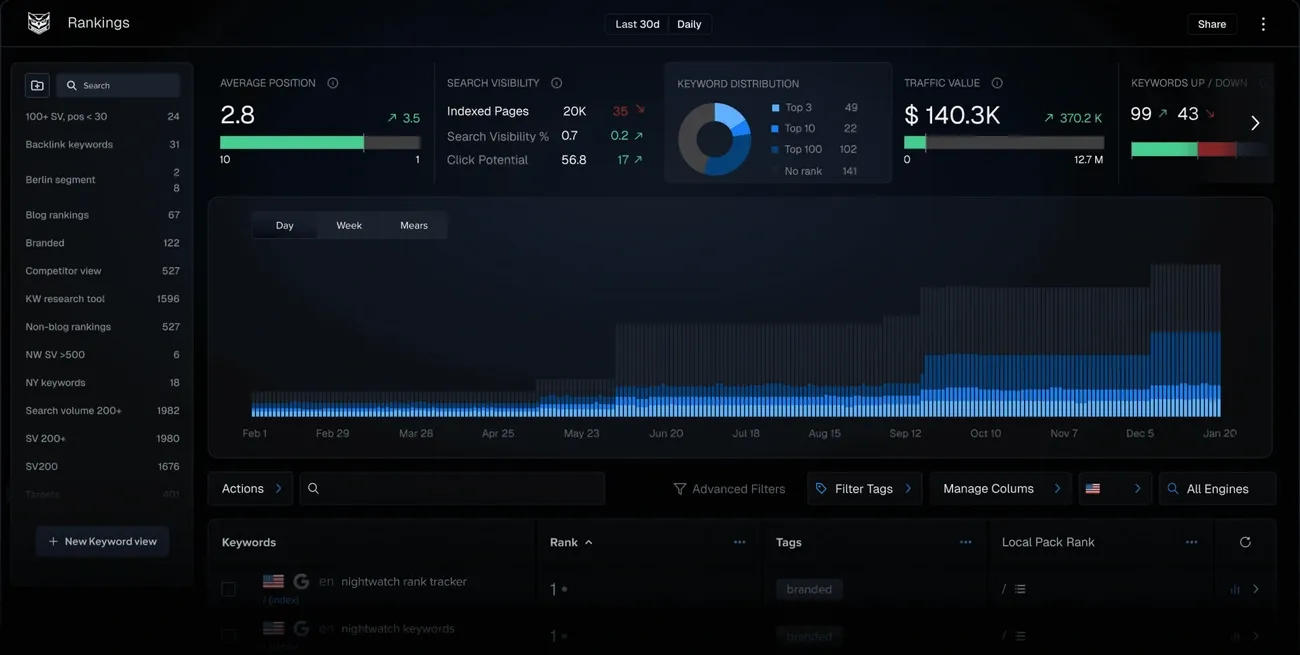
Nightwatch separates your organic rankings from your Google Places rankings so you measure each strategy on its own. You need this separation because when you search for "best sushi restaurant in London," Google shows you three different surfaces: organic results, the Local Pack (top 3 map results), and the full Google Maps view. Most rank trackers mash these together. Nightwatch doesn't.
The platform monitors your positions across all three surfaces in isolation. You configure your Google Business Profile name in the settings, then Nightwatch tracks how your listing performs in the Local Pack versus how your website ranks for the same keyword. Your organic page might sit at #8 while your Google Business Profile appears in position #2 of the Local Pack. You see both ranks displayed with different icons.
Nightwatch tracks keywords across Google, Bing, YouTube, DuckDuckGo, and the Google Map Pack. You can set tracking to country level, city level, region level, or zip code level. The tool updates rankings each day with backlink monitoring, site audits, and white-label reporting.
Why Nightwatch Wins at Hyper-Local Tracking
Nightwatch's geo-grid technology monitors your rankings from up to 100 GPS coordinates at once. You get a visual grid where each cell represents a specific location instead of a spreadsheet full of numbers. Strong rankings appear in one color, weak rankings in another, invisible rankings in a third. Patterns jump out fast.
The platform tracks across 107,000+ locations. Those aren't random pins on a map. Nightwatch uses 50,000+ localized access points to show you what users see when they search from specific neighborhoods. Local search results vary by a few city blocks, and this precision determines whether your pizza shop appears in searches from the north side of town versus the south side.
You can track the same keyword across unlimited different locations to monitor franchise or multi-location performance. Tracking "dentist near me" from 50 different zip codes shows you which locations dominate and which need work. The combined dashboard rolls everything up, but you can drill into individual locations to troubleshoot specific problems.
How to Monitor City-Level Rankings
Configure your Google Business Profile name in Nightwatch's website settings. Google sometimes doesn't show the URL associated with a particular Google Place, so Nightwatch matches by exact business name. Enter it the same way it appears in Google My Business.
When adding keywords, enable 'Track location by city, region or zip code'. You must set the exact location if you're tracking "sushi" without a location modifier. Otherwise Google determines the location itself, which won't match the area you want to monitor.
Results appear within 24 hours. You can then customize column displays to show organic rank, Local Pack rank, or Google Maps rank in isolation. The highest rank always displays in the main column with an icon that indicates whether it's organic or local.
You customize which rank types appear on graphs and exports when reporting. White-label reports go out under your branding with local and organic performance separated so clients understand which tactics drive which results.
Who Should Use Nightwatch
Nightwatch fits agencies managing local SEO for restaurants, dental practices, law firms, retail chains, or any business where "near me" searches matter. The geo-grid visualization and multi-location tracking justify the cost if you handle multiple franchise locations or track city-level competition.
The platform scales for agencies managing SEO across multiple clients. Small to mid-sized teams and SEO professionals who value precise rank tracking and flexible reporting without needing a full-suite platform benefit most.
Pros and Cons
Pros:
- Visual heatmap displays make local ranking patterns clear fast
- Geo-grid technology with customizable density tracks up to 100 GPS coordinates
- Separates organic, Local Pack, and Google Maps rankings
- White-label reports with agency branding
- Multi-location tracking with combined and individual dashboards
- Integration with Google Analytics, Search Console, and Looker Studio
- 14-day free trial
Cons:
- The geo-grid setup has a learning curve at first
- Not a full keyword research or paid ads tool
- May require tools like Semrush or Ahrefs for content planning and competitor intelligence
Pricing
Starter plan costs $32/month and has 500 daily keywords tracked, 50 websites tracked, 5,000 site audit pages, 5 competitors tracked, and integration with Google Analytics. You can track Google, YouTube, and Bing.
Optimizer plan runs $79/month with 1,000 daily keywords tracked, 200 websites tracked, 10,000 site audit pages, 15 white-label reports, API access, and Google Search Console integration.
Agency plan sits at $295/month covering 5,000 daily keywords tracked, 1,000 websites tracked, 50,000 site audit pages, unlimited user seats, unlimited white-label reports, and API access. A 14-day free trial is available.
ProRankTracker: Cheapest Rank Tracker for High-Volume Agencies
What ProRankTracker Offers Agencies
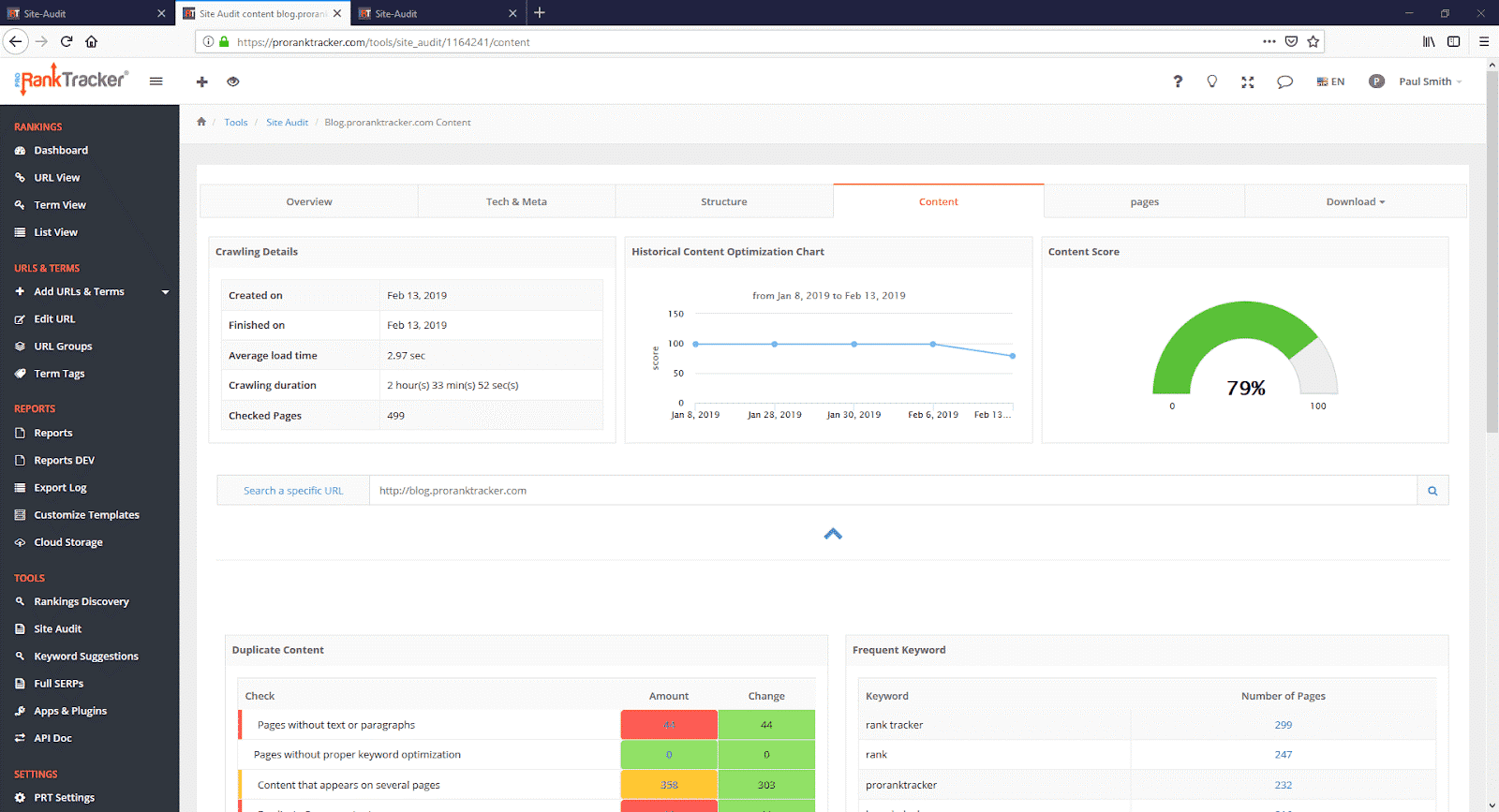
ProRankTracker tracks rankings across Google, Bing, Yahoo, YouTube, and Amazon with daily automatic updates. The platform supports 187 Google websites, 35 Yahoo sites, and 32 Bing locations. You can monitor desktop and mobile separately, though each counts as a separate keyword.
The tool organizes client data using groups and tags. Groups work like folders for URLs. Tags label keywords across projects. Managing 15 clients becomes easier with this structure. Without it, you'd drown in a 10,000-keyword list with no way to filter who owns what.
ProRankTracker has the MyRanks client app, which you can brand with your logo. Clients download the app and log in with credentials you create. They view their rankings without seeing ProRankTracker's name anywhere. White-label reports extend to custom domains. You can mask shared report URLs so clients access reports from reports.youragency.com instead of proranktracker.com.
Why ProRankTracker Is the Most Cost-Effective
ProRankTracker's Agency plan tracks 3,000 keywords at $199/month. That's $0.066 per keyword. SE Ranking's comparable tier costs more per keyword. AccuRanker charges $224/month for 2,000 keywords, which equals $0.112 per keyword.
The cost gap widens at scale. Track 10,000 keywords on ProRankTracker for $549/month. That drops to $0.055 per keyword. Most competitors force you into enterprise pricing at that volume. ProRankTracker publishes the rates upfront.
Agency plans have unlimited users. No per-seat charges. Your entire team accesses the same data without triggering upgrades. API access comes standard on Agency tiers. Competitors often gate API behind enterprise contracts.
How to Scale White-Label Reporting
Create custom report templates in the Reports Center. ProRankTracker offers 20+ report types covering overview, progress, comparison, and standard formats. You customize colors, logos, headers, footers, and cover letters. Save multiple templates for different client priorities.
Schedule automated delivery for each client. Reports generate and send without manual intervention. You can email reports, save to Dropbox, or push to Google Drive on a schedule. Shared live reports create password-protected web pages that update continuously.
Create sub-accounts for clients who want dashboard access. You control which data each user sees and what permissions they have. The MyRanks app provides mobile access where clients check rankings from their phones under your branding.
Who Should Use ProRankTracker
ProRankTracker fits agencies tracking 5,000+ keywords across multiple clients where cost per keyword matters more than up-to-the-minute updates. The math works if you just need daily rankings and strong white-label features without paying enterprise rates.
The platform scales to millions of keywords with custom pricing. Agencies managing 20+ clients benefit from unlimited users and API access. Dedicated customer success managers come with Agency plans.
Pros and Cons
Pros:
- $0.055 to $0.066 per keyword at agency scale
- Unlimited users on Agency plans
- API access without enterprise surcharge
- 20+ customizable report types
- MyRanks branded client app
- Custom domain masking for shared reports
- Over 60,000 users worldwide
- 10% discount on annual billing
Cons:
- Daily updates only, no up-to-the-minute refresh
- Mobile and desktop count as two separate keywords
- No on-demand ranking updates below Agency tier
- Interface less modern than newer competitors
- Limited keyword research features compared to all-in-one tools
Pricing
Starter plan costs $99/month for 1,000 keywords with daily updates, local and mobile tracking, and unlimited URLs. Pro runs $149/month covering 2,000 keywords with 10 users and 10,000 Insta-Check credits.
Agency pricing starts at $199/month for 3,000 keywords and scales to $1,039/month for 20,000 keywords. All Agency tiers have API access, unlimited users, 20,000 Insta-Checks, and a dedicated customer success manager. Annual billing saves 10%. Custom plans support tracking beyond 20,000 keywords.
Advanced Web Ranking: Best Agency Rank Tracking Software for Custom Reports
What Advanced Web Ranking Provides
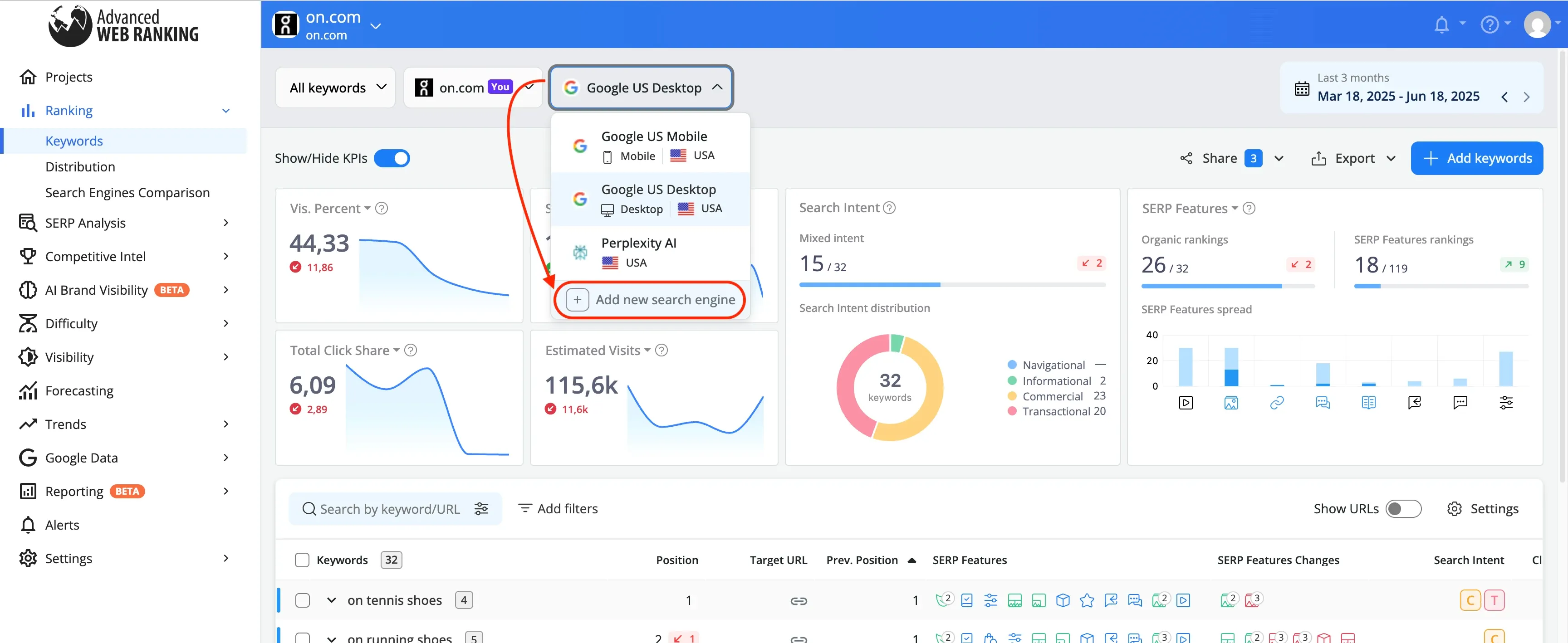
AWR's WYSIWYG report builder lets you drag and drop tables, charts, and KPI widgets into custom layouts. You build from scratch or start with templates covering SEO performance, keyword rank, search markets, competitor rank, and search visibility. The cross-projects feature pulls data from multiple client accounts into one dashboard. Rankings get tracked in 3,000+ search engines, which has Google, Bing, YouTube, Amazon, Baidu, and Naver. AWR integrates with Looker Studio, Google Analytics, Google Search Console, and Bing Webmaster Tools to feed external data into your reports.
Why AWR Excels at Enterprise Reporting
AWR has tracked rankings for 20+ years. That longevity shows in the reporting depth. You get pixel position tracking and above-the-fold analysis with SERP HTML source access. CTR trends weighted by SERP feature presence come standard. The Developer API exports rankings in CSV and JSON formats. This matters when your enterprise client runs their own business intelligence stack and just needs raw data pushed to their systems. AWR can push CSVs to your FTP location automatically for third-party tool integration beyond standard exports.
How to Build White-Label Client Dashboards
Upload your logo and set your color scheme in the Whitelabel settings. Configure a CNAME record to host reports on your subdomain. Set up SMTP so notification emails come from your domain instead of AWR's. Clients log in at reports.youragency.com and see your branding throughout. Schedule automated delivery or create shareable permalinks that update with each ranking refresh.
Who Should Use Advanced Web Ranking
AWR fits agencies that build custom client dashboards or feed ranking data into proprietary reporting systems. AWR has API access at the Agency tier if you need to pull rankings into your own tools. Agencies that manage 10+ enterprise clients who ask for specific report formats benefit most.
Pros and Cons
Pros:
- WYSIWYG report builder with full customization
- Developer API at Agency tier and above
- Cross-project dashboards for multi-client reporting
- Automatic CSV export to FTP
- 30-day money-back guarantee
- Unlimited users and projects on all plans
- 20+ years of SERP accuracy
Cons:
- Interface looks dated despite updates
- No mobile app
- Limited keyword research compared to all-in-one tools
- White-label features need Agency plan minimum
Pricing
Pro costs $139/month with annual billing and 7,000 keywords tracked weekly. Agency runs $279/month covering 14,500 keywords with white-label reporting, API access, and 1-hour updates. Enterprise sits at $699/month with 35,500 keywords, priority support, and data migration assistance. Ent Plus 50k starts at $980/month for 50,000+ keywords. Annual billing saves 10%. Seven-day free trial comes with all plans.
Wincher: Best Budget-Friendly Agency Rank Tracking for Small Teams
What Wincher Delivers to Lean Agencies
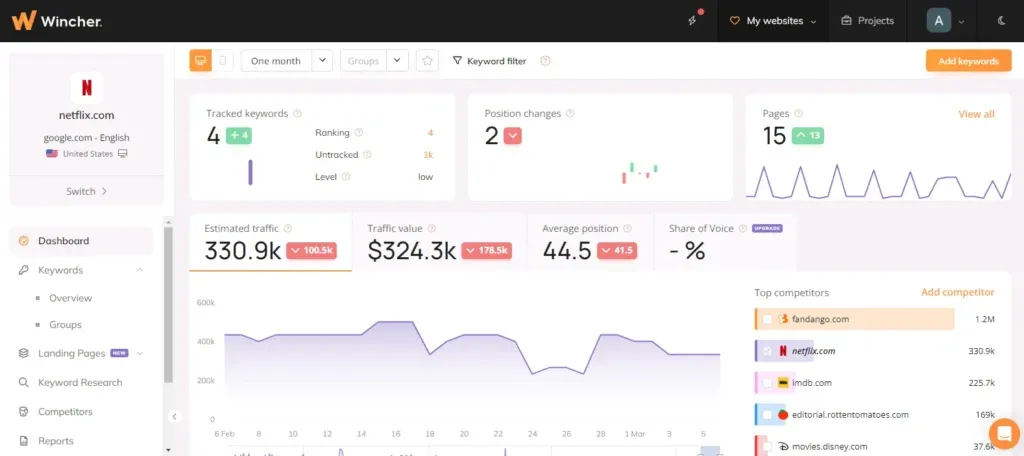
Wincher tracks rankings in 130+ search engines with daily updates and on-demand refreshes. You can monitor up to 50,000 keywords and organize everything using keyword grouping. Higher plans let you track 20 competitors per website. The platform has keyword research, keyword gap analysis and Share of Voice metrics. White-label reports schedule and deliver under your branding without manual work. WordPress, Wix and Google Looker Studio integrations sync on their own.
Why Wincher Offers the Best Value
Wincher starts at $10/month and is trusted by 700,000+ marketers. That pricing beats every competitor we tested when it comes to small teams tracking 500 to 1,000 keywords. The interface puts simplicity over feature bloat. You get rank tracking, competitor analysis and white-label reporting. No need to pay for enterprise tools you won't use.
How to Track Competitors Without Breaking Budget
Add competitor domains during keyword setup. Wincher sends alerts at the time you overtake a competitor or they overtake you. The competitor tracking feature shows position comparisons and identifies keyword gaps. You filter by search volume, CPC and competition level to find opportunities. No need for Ahrefs.
Who Should Use Wincher
Small agencies tracking 500 to 5,000 keywords for 5 to 15 clients fit Wincher's sweet spot. Solo SEOs and two-person teams benefit most. They just need daily rank tracking and client reports without complex features.
Pros and Cons
Pros:
- Pricing starts at $10/month
- 700,000+ users worldwide
- White-label reports with scheduling built in
- 7-day free trial, no credit card required
- Simple interface designed to help non-experts
- Unlimited websites on higher plans
- Integration with WordPress, Wix and Looker Studio
Cons:
- Free tier limited to 10 keywords
- Complex pricing tiers
- Steep learning curve for the full feature set
- No Bing or Yahoo tracking mentioned in core features
Pricing
Plans start at $10/month. The small team tier tracks 500 keywords for 10 websites with 1 user. Growing teams get 1,000 keywords, unlimited websites and multiple users. Agency plans start at 5,000 keywords with unlimited websites and multiple users. White-label reporting requires mid-tier plans or higher. All plans have a 7-day free trial.
Comparison Table
| Tool | Starting Price | Keywords at Agency Tier | Key Differentiator | Best For | White-Label Reporting | API Access | Free Trial | Notable Limitation |
| SE Ranking | $103.20/month (annual) | 5,000 (Growth plan at $223.20/month) | 50% cheaper than Semrush with 12 ready-made SEO report templates | Growing agencies managing 3-10+ clients | Yes (requires $69/month Agency Pack add-on) | Yes (Growth plan and above, 100,000 credits) | 14 days, no credit card | Keyword tracking limits force plan upgrades faster than expected |
| AccuRanker | $224/month | 10,000-25,000 (Expert plan at $764/month) | Two-hour domain refresh capability with unlimited on-demand updates | Agencies tracking 10,000+ keywords who just need immediate speed | Not mentioned | Yes (Expert plan and above, unlimited read/write) | 14 days (company email only) | Mobile and desktop keywords count as two separate keywords |
| Nightwatch | $32/month | 5,000 (Agency plan at $295/month) | Geo-grid technology tracking up to 100 GPS coordinates with separate organic and Local Pack ranking | Local SEO agencies managing multi-location businesses | Yes (included in Agency plan) | Yes (Optimizer plan and above) | 14 days | Original geo-grid setup has a learning curve |
| ProRankTracker | $99/month | 3,000 (Agency plan at $199/month) | $0.055-$0.066 per keyword at scale with unlimited users | High-volume agencies tracking 5,000+ keywords where cost per keyword matters | Yes (Agency plan and above, has MyRanks branded app) | Yes (Agency plan and above) | Not mentioned | Daily updates only, no immediate refresh |
| Advanced Web Ranking | $139/month (annual) | 14,500 (Agency plan at $279/month) | WYSIWYG report builder with automatic CSV export to FTP and 20+ years of SERP accuracy | Agencies building custom dashboards or feeding data into proprietary systems | Yes (Agency plan and above) | Yes (Agency plan and above) | 7 days | Interface looks dated despite updates |
| Wincher | $10/month | 5,000+ (Agency tier pricing not specified) | Simplest interface at lowest entry price, trusted by 700,000+ marketers | Small agencies tracking 500-5,000 keywords across 5-15 clients | Yes (mid-tier plans and above) | Not mentioned | 7 days, no credit card | Free tier limited to 10 keywords |
Conclusion
After testing wraps up, your choice comes down to what you need. SE Ranking delivers the best value for growing agencies. AccuRanker wins on speed if you can justify the cost. Nightwatch owns local SEO with geo-grid tracking. ProRankTracker beats everyone on cost per keyword at scale. Advanced Web Ranking handles custom reporting better than the rest. Wincher works for small teams watching their budget.
Pick based on your client load and tracking volume. The wrong tool costs you either money or time, and both hurt equally when you're scaling an agency.
Key Takeaways
Here are the essential insights for agencies choosing rank tracking tools in 2026:
• SE Ranking offers the best value - 50% cheaper than Semrush with comprehensive white-label reporting and 12 ready-made SEO templates for growing agencies managing 3-10+ clients.
• Speed matters for enterprise agencies - AccuRanker's two-hour domain refresh capability and unlimited on-demand updates justify higher costs when managing 10,000+ keywords across multiple clients.
• Local SEO requires specialized tracking - Nightwatch's geo-grid technology separates organic rankings from Local Pack positions, essential for multi-location businesses and franchise management.
• Cost per keyword scales dramatically - ProRankTracker delivers the lowest per-keyword cost at $0.055-$0.066 for high-volume agencies, while Wincher starts at just $10/month for small teams.
• White-label reporting drives client retention - All top tools offer branded reports and client dashboards, but implementation varies from simple templates to custom WYSIWYG builders with API integration.
The right choice depends on your client volume and tracking needs. Growing agencies benefit from SE Ranking's comprehensive features, while enterprise teams requiring real-time data should consider AccuRanker despite higher costs. Local SEO specialists need Nightwatch's location-specific tracking, and budget-conscious agencies can scale effectively with ProRankTracker or start small with Wincher.